

Google Business Profile Checklist for Tampa Restaurants
Google Business Profile Checklist for Tampa Restaurants
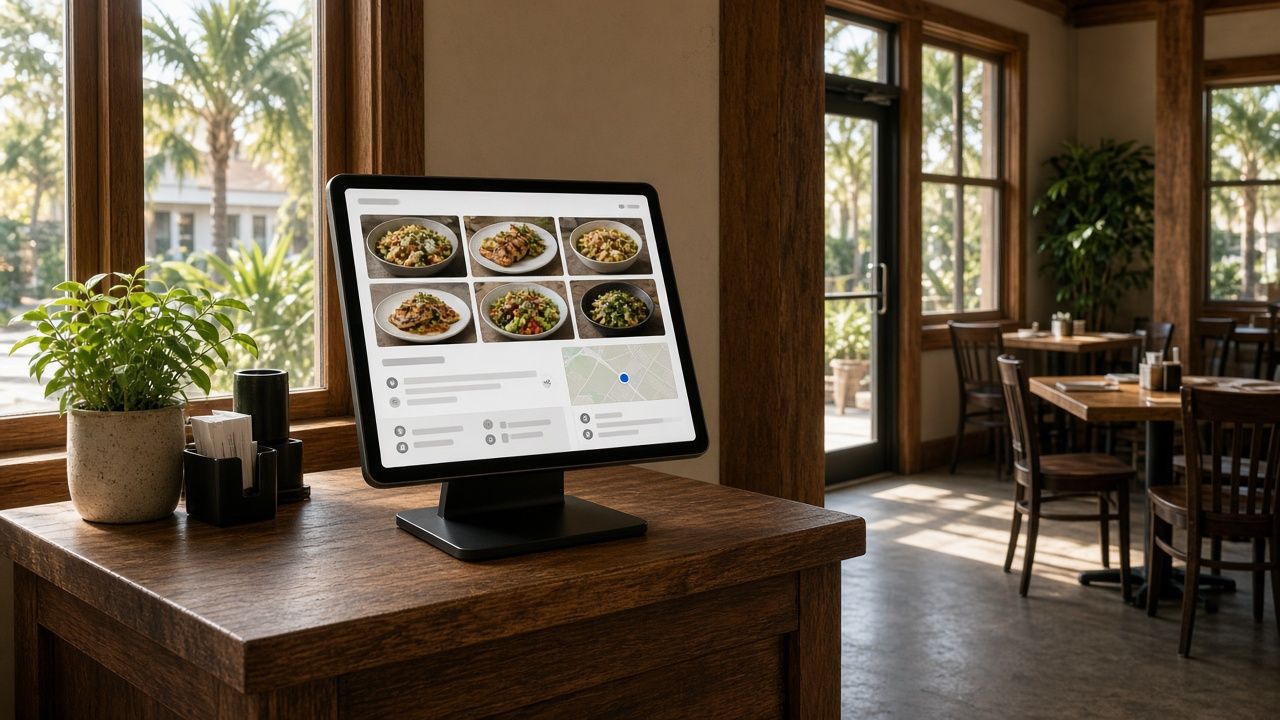
For a lot of Tampa diners, your Google Business Profile is your restaurant’s real front door. It is the panel that shows up when someone searches your name, and the listing that appears in Google Maps when they search “Cuban food near me” or “brunch Tampa.” It shows your hours, photos, reviews, menu and the buttons for calling, getting directions, ordering and booking. Many guests decide whether to come in without ever opening your website.
This checklist walks through the parts of a Google Business Profile that matter most for restaurants, with notes specific to Tampa. Work through it once to clean up your profile, then use the maintenance section to keep it in shape. If you want to understand how the profile affects map rankings, read our companion guide on how Tampa restaurants can get into the Google Maps 3-pack.
1. Ownership and verification
- Confirm you control the profile. Search your restaurant name on Google while signed in. If you see the option to manage the profile, you have access. If not, request access or claim it.
- Use a business-owned Google account. Avoid tying the profile to a former manager’s personal email. Add trusted team members or your agency as managers instead of sharing passwords.
- Complete verification. Google may ask for a video showing your signage, interior and proof of management. Have your storefront sign, kitchen or point-of-sale system and a business document ready.
- Look for duplicates. Old listings from a previous owner, a former address or a typo in the name can split your reviews and confuse Google. Report or merge duplicates.
2. Name, categories and description
- Use your real business name. Do not add keywords like “Best Tampa Seafood” to the name. Google’s guidelines prohibit it, and competitors can report it.
- Choose the most specific primary category. “Cuban restaurant” or “Seafood restaurant” usually works better than plain “Restaurant.” The primary category is one of the strongest signals for which searches you appear in.
- Add relevant secondary categories. If you also run a bar, a bakery counter or a catering service, add those, but only if they genuinely describe what you do.
- Write a helpful description. Explain your cuisine, atmosphere and neighborhood in plain language. Mention what makes you different: a waterfront view, a family recipe, a late-night kitchen, live music. Skip prices and promotional claims you cannot back up.
3. Address, map pin and service options
- Match your address exactly. Use the same format, including suite numbers, everywhere online.
- Check the map pin. Zoom in on Google Maps and make sure the pin sits on your actual entrance. This matters in food halls, shopping centers and places like Ybor City or Water Street where buildings and entrances can be confusing.
- Set service options. Mark dine-in, takeout, delivery, curbside and outdoor seating accurately.
- Add parking and accessibility attributes. Tampa diners often want to know about parking before they go, especially in SoHo, Hyde Park and downtown. Attributes for wheelchair access, restrooms and parking options help guests plan.
4. Hours, including special hours
- Set regular hours by day. If the kitchen closes before the bar, say so in your description or on your website.
- Add special hours ahead of time. Holidays, Gasparilla, big game days at Raymond James Stadium and private events all change hours. Updating them in advance prevents frustrated guests and bad reviews.
- Plan for storms. During hurricane season, use special hours or mark the restaurant as temporarily closed if you shut down, and update it again when you reopen. Do not mark the business as permanently closed by mistake.
- Keep hours in sync. Your website, Instagram, delivery apps and reservation platform should all match your Google hours.
5. Menu, ordering and reservations
- Add a menu link. Point it to a real menu page on your website rather than a PDF or a third-party page that may go out of date. Our guide on PDF menus vs. HTML menus for restaurant SEO explains why.
- Review menu items Google shows. Google may display menu information from your profile, your website or photos. Check it regularly and correct anything outdated.
- Set your ordering and reservation links. Make sure “Order online” and “Reserve a table” go to the provider you actually use, and remove old ones.
- Watch for unwanted third-party links. If a delivery service you do not work with appears, review the ordering settings and remove or deprioritize it where Google allows.
6. Photos and video
- Upload a strong set of photos. Include your exterior and signage so people recognize the building, the dining room and patio, your best dishes, drinks and any view.
- Keep them current. Add new photos when you change the menu, renovate or start a seasonal special.
- Use real photos. Avoid stock images. Guests want to see the actual food and space.
- Add short videos. A quick clip of the room on a busy night or a dish coming out of the kitchen gives guests a feel for the experience.
7. Reviews
- Ask happy guests for reviews. Share your review link on receipts, table cards or follow-up emails. Ask everyone, not just the guests you expect to be positive.
- Never offer incentives or buy reviews. Discounts or freebies in exchange for reviews break Google’s policies, and fake reviews can violate FTC rules.
- Respond to every review. Thank people for positive reviews. Respond calmly and professionally to negative ones, and take detailed conversations offline.
- Report reviews that break the rules. If you get spam or fake reviews, flag them. Our guide on how to handle fake Google reviews walks through the process, and our restaurant reputation management in Tampa service can handle it for you.
8. Posts and updates
- Post regularly. Use Google posts for new menu items, weekly specials, events, live music and holiday hours.
- Use photos with every post. Posts with appetizing images are more likely to catch attention.
- Tie posts to Tampa moments. Gasparilla specials, game-day menus, Restaurant Week participation if you take part, and snowbird-season events give guests a reason to visit now.
9. Connect your profile to your website
Your Google profile and your website should support each other. Make sure the website link goes to the right page (for multi-location restaurants, each location’s own page), that your website shows the same name, address, phone and hours, and that your site uses restaurant schema markup. A fast, mobile-friendly site helps here, which is why we build every project through our restaurant website design in Tampa process with these details built in.
Monthly maintenance checklist
- Check hours and add special hours for upcoming holidays and events.
- Upload a few new photos.
- Publish at least a couple of posts.
- Respond to all new reviews.
- Review your menu, ordering and reservation links.
- Look for edits suggested by Google or the public and approve or reject them.
- Review your performance data: calls, direction requests, website clicks and searches.
When to get help
Many owners can handle this checklist themselves. If you are short on time, have multiple locations or are dealing with suspensions, duplicate listings or review problems, it can make sense to bring in help. Our local SEO services in Tampa and broader restaurant marketing in Tampa include profile management. South Tampa restaurants can also see our page on restaurant SEO in South Tampa.
Google Business Profile FAQs
How often should a restaurant update its Google Business Profile?
Check it at least monthly and any time your hours, menu or services change. Adding photos and posts regularly also shows guests that the restaurant is active.
Can I add keywords to my restaurant’s name on Google?
No. Google’s guidelines require your real-world business name. Adding keywords can lead to suspension, and it is not worth the risk.
Why did someone else change my restaurant’s hours on Google?
Google allows the public to suggest edits, and sometimes it applies them automatically. Check your profile regularly and correct any edits that are wrong.
Does my Google profile help my website rank?
They help each other. A complete profile helps you appear in map results, and a strong website with matching information gives Google more confidence in both.
Need a hand with your profile?
If you would rather have someone else run through this checklist for your restaurant, we are happy to help. Call Brian at 609-827-2645, email brian@ignitedesigngroup.com, or contact Ignite Design Group.


Leave a Reply
Want to join the discussion?Feel free to contribute!