

PDF Menu vs. HTML Menu: What’s Better for Restaurant SEO?
PDF Menu vs. HTML Menu: What’s Better for Restaurant SEO?
Almost every restaurant website has a menu, and a surprising number of them are PDFs. It is easy to see why. The menu already exists as a print file, so uploading it takes a minute. But for guests on phones and for Google, how your menu is published can make a real difference. This guide explains how PDF and HTML menus compare for restaurant SEO, guest experience and day-to-day management, with practical advice for Tampa restaurant owners.
What is the difference?
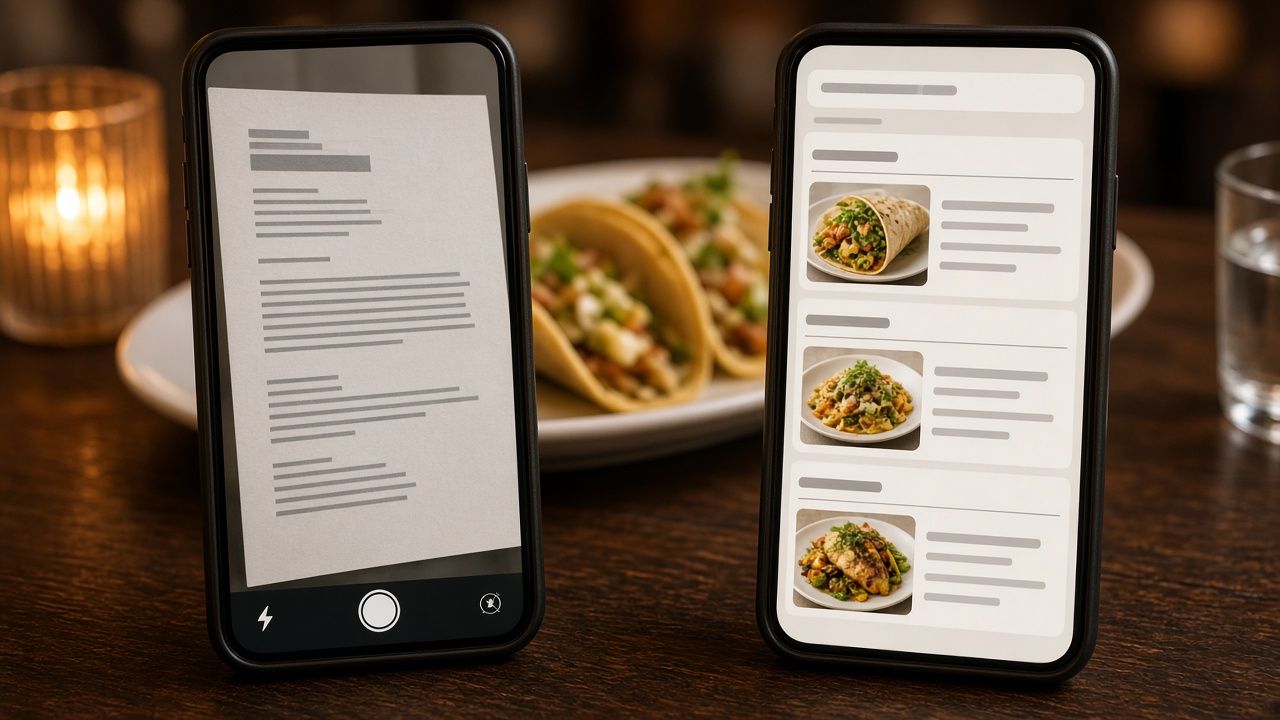
A PDF menu is a document file, usually exported from the same design software used for the printed menu. Guests open or download it, then pinch and zoom to read it. Some restaurants go a step further and upload a photo or scan of the paper menu, either as an image or as an image inside a PDF.
An HTML menu is a normal web page. Dish names, descriptions, prices and sections are written as text on the page, styled to match your website. It resizes to fit any screen and loads like any other page.
Some restaurants use a third type: a menu hosted on an ordering or reservation platform. That can work, but it puts your menu content on someone else’s website instead of yours.
How Google handles each format
Google can crawl and index text-based PDFs, so a PDF menu is not invisible. But there are several reasons an HTML menu usually serves you better.
- Image-only menus give Google little to read. If your PDF is a scan or a photo, the dish names are pixels, not text. Google may try to interpret images, but you should not rely on it to understand your menu that way.
- PDFs are separate files. A PDF lives outside your site’s navigation, design and internal links. When a guest lands on it from search, there is no menu bar, no reservation button and no easy way back to your homepage.
- HTML pages connect to the rest of your site. An HTML menu can link to catering, private events, online ordering and your location page, and those pages can link back. That structure helps search engines understand your site.
- HTML supports structured data. Schema.org includes Menu, MenuSection and MenuItem types, and restaurant schema can point to your menu page. Google does not promise a special search feature for this markup, but structured data helps describe your content clearly.
- Dish-level searches. People search for specific dishes: “grouper sandwich Tampa,” “birria tacos near me,” “gluten-free pizza South Tampa.” When those dish names and descriptions are plain text on a page, it is easier for search engines to connect them to your restaurant.
The guest experience on a phone
Most menu views happen on phones, often while someone is deciding between a few options. A PDF menu designed for an 11 by 17 inch sheet becomes a tiny, awkward document on a phone screen. Guests have to zoom and scroll sideways, and large PDFs can be slow to load on a cellular connection, whether someone is waiting at a light on Dale Mabry or standing outside a busy bar in Ybor City.
An HTML menu fits the screen. Sections can be tapped or jumped to, text is readable without zooming, and buttons for ordering, calling or booking can sit right beside the dishes. For a hungry guest, that is the difference between choosing you and going back to the search results.
Accessibility
Accessible menus help guests who use screen readers, larger text settings or other assistive tools. HTML text works with those tools by default when it is built properly. Scanned or image-based PDFs often cannot be read by screen readers at all, and even text PDFs need extra work to be properly tagged. An accessible menu is the right thing to do for guests, and it reduces risk for your business.
Keeping the menu up to date
Restaurants change menus constantly. Prices move, seasonal dishes come and go, and the kitchen runs out of things. With a PDF, every change means editing the design file, exporting it and re-uploading it, and old versions sometimes stay live at their old addresses where Google can still find them.
A well-built HTML menu on WordPress can be updated in a few minutes by someone on your team: change a price, mark an item as sold out or add a new special. When we build menus as part of our restaurant website design in Tampa, we set them up so owners and managers can edit them without touching code.
Keeping one accurate menu also helps with consistency. Your Google Business Profile menu link, your Instagram bio and your delivery listings can all point to the same up-to-date page. Our Google Business Profile checklist for Tampa restaurants covers how to connect that menu to your profile.
When a PDF still makes sense
PDFs are not useless. They can be helpful as a secondary option for:
- Catering and private event packages that people want to print or share with a group
- A downloadable version of the full menu for guests who prefer it
- Wine lists or seasonal menus that change on a fixed schedule
The key is to offer the PDF in addition to an HTML menu, not instead of one. Make sure it is text-based rather than scanned, give it a descriptive file name, and link to it from the HTML menu page.
How to switch from a PDF menu to an HTML menu
- Gather your current menu. Start from the most recent design file or text, not a scan.
- Organize sections. Group dishes the way guests think about them: starters, mains, sides, desserts, drinks, brunch, happy hour.
- Write short, clear descriptions. Mention key ingredients, preparation and dietary notes like vegetarian or gluten-free where accurate.
- Build the page. Use proper headings for sections and a clean, mobile-friendly layout. Add schema markup for your restaurant and menu.
- Add action buttons. Place order, reserve and call buttons near the top and bottom of the menu.
- Redirect old PDF links. If old menu PDFs are indexed, redirect them to the new menu page or replace them with the current version so guests do not see outdated prices.
- Update every menu link. Point your Google profile, social bios and other listings to the new page.
Menus are one piece of restaurant SEO
A crawlable menu helps, but it works best alongside a complete Google profile, strong reviews and a fast website. If you want the bigger picture, read our guide on getting into the Google Maps 3-pack, or see how we approach restaurant SEO in South Tampa and restaurant SEO in Seminole Heights. If your site itself is the problem, our website redesign in Tampa service can rebuild it without losing the rankings you already have.
Restaurant menu SEO FAQs
Can Google read my PDF menu?
Google can index text-based PDFs, but scanned or image-only PDFs give it very little readable text. Even text PDFs are usually a weaker experience for guests on phones than an HTML menu page.
Should I include prices on my online menu?
Many guests want to see prices before they visit, and including them can reduce surprises. If prices change often, an HTML menu makes them easier to keep current.
Is a menu on a delivery app enough?
It helps guests who order through that app, but it lives on someone else’s site. Having your own menu page gives you control and gives Google a reason to send diners to your website.
Do I need menu schema markup?
It is not required, and Google does not guarantee a special display for it. It is a low-cost way to describe your restaurant and menu clearly to search engines, so we include it on the menus we build.
Want help updating your menu page?
If your menu is still a PDF or a photo, we can turn it into a fast, search-friendly page. Call Brian at 609-827-2645, email brian@ignitedesigngroup.com, or contact Ignite Design Group.


Leave a Reply
Want to join the discussion?Feel free to contribute!